
De-slop and checks
Review JavaScript and TypeScript code-quality findings before keeping or exporting generated changes.
What the scan can tell you
Macaron flags selected restating comments, rethrow-only catches, boolean-return branches, placeholder comments and debug logging. These rules identify patterns to review; they do not determine AI authorship, detect every defect or replace project tests.
Scan from the CLI
Use a scan to collect findings, then preview automatic edits before writing files. No API key is required. A clean scan only means no selected rules matched; inspect changes and run your project checks.
macaron deslop src
macaron deslop --fix src --dry-run
macaron deslop src --json
Scan your project
Open De-slop and press Scan. Findings are grouped by rule with file and line references. React checks are optional. Safe fixes can be applied directly; other findings can be handed to an agent for review.
Checks after every turn
When a turn changes code, React Doctor and Macaron’s de-slop rules check the lines that turn added or changed, on this device. New issues appear in a card under the turn with their file and line. Press Ask the agent to fix these to send them as one short message. The checks chip in the composer switches between three settings.
- Checks: issues are shown, and the agent only hears about the ones you send.
- Auto-fix: new issues go back to the agent on their own, up to 12 issues and at most twice per message you write.
- Checks off: nothing runs after a turn.
Project checks
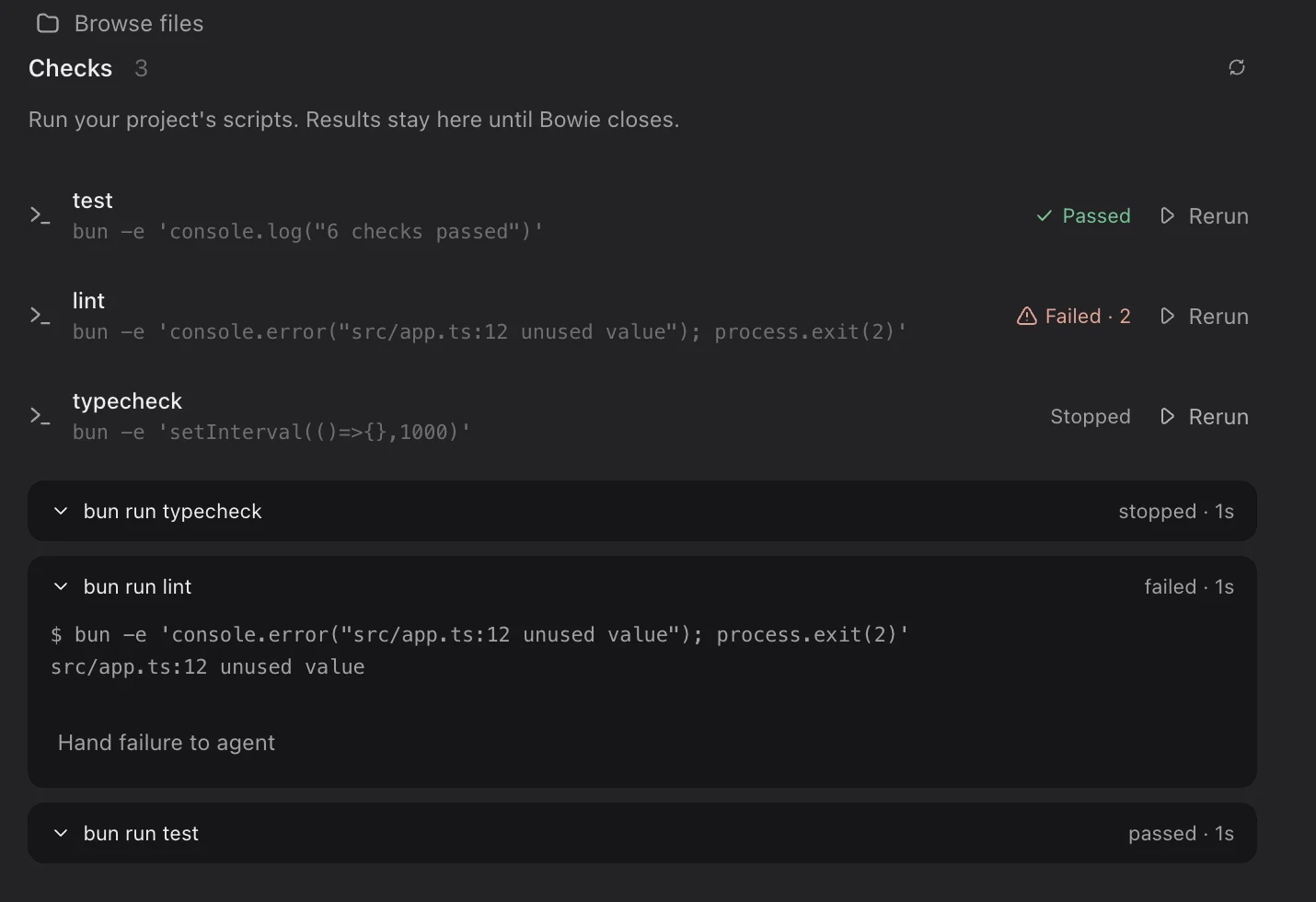
The Checks panel lists the test, lint, typecheck, check and build scripts in the project’s package.json, plus an e2e check when the project has an e2e config. Run one with a click; it uses the project’s package manager. A result comes from the command’s exit code, never from what an agent says. A check stops after 10 minutes or 256 KB of output, and results stay in the panel until Macaron closes.
Hand failure to agent
When a check fails, open its output and press Hand failure to agent. Macaron starts a new agent chat named after the check, with Claude Code, or with Codex if Codex is the agent already working in the project. The agent is asked to make the smallest justified fix, run the same check again and report the actual result, without weakening or removing tests. The full output reaches it in a temporary file, marked as command output rather than instructions. The new chat starts with Auto-fix on.
Project scripts after each turn · next desktop release
In the next desktop release, a turn that changes files also runs the project’s type-check, lint, check and test scripts from package.json, in that order, up to four of them. Each result says whether that check passed before the turn, so something the turn broke stands out. Ask the agent to fix them with one click, or leave Auto-fix on and failures go to the agent on their own, twice at most until you write again. Checks off skips them. The runs also appear in the Checks panel.
Security review
Security review runs only when you ask. Choose changed files or a broader scope, review the cost estimate, and start the scan. Its agent uses your connected provider account or key.
AI-generated code export · WIP
The planned export flow is: scan the workspace, review the cleanup, run project checks, then download the cleaned files. This workflow is still in development. Use Scan and review the diff today.